Three steps, and one page for your visit.
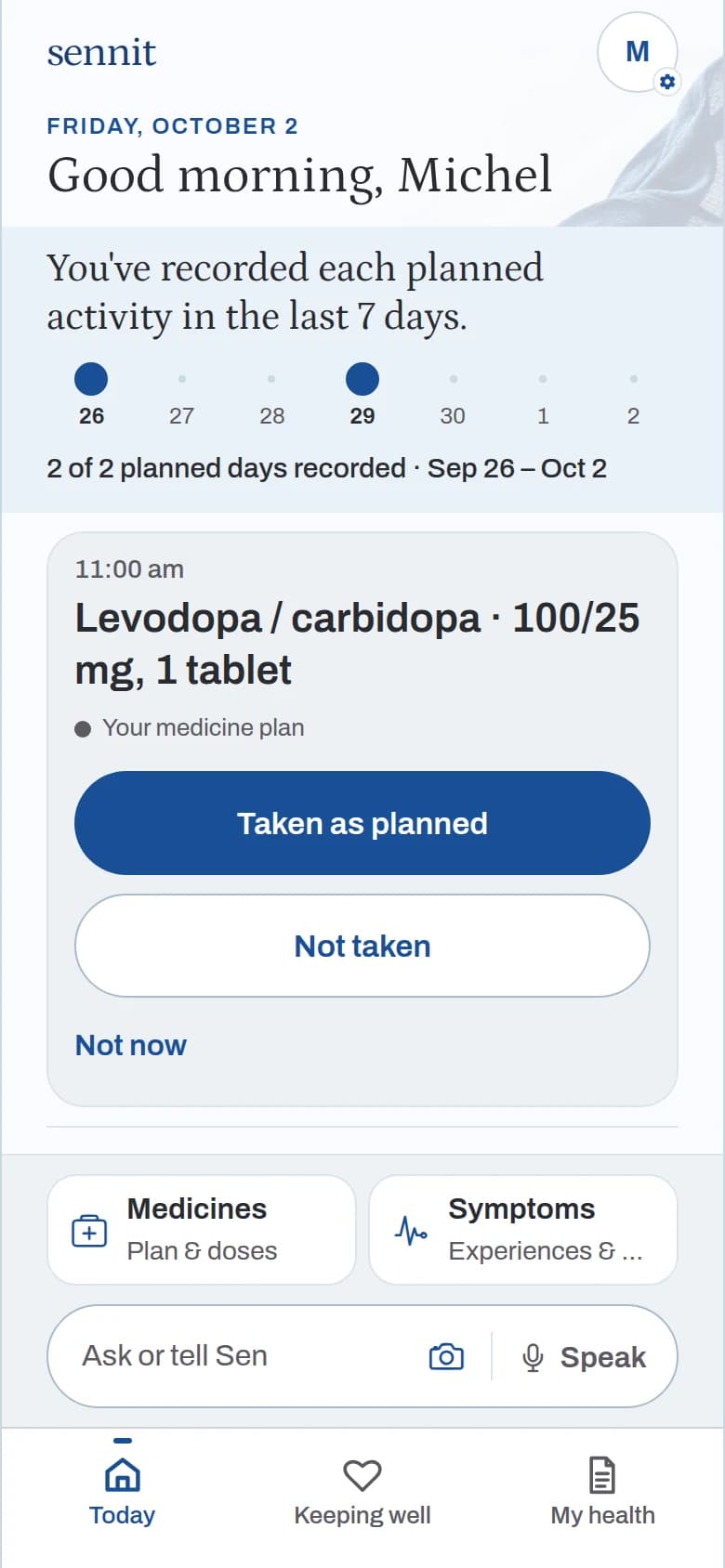
Tell Sen, or tap.
Type it to Sen in your own words, or tap a dose as taken.
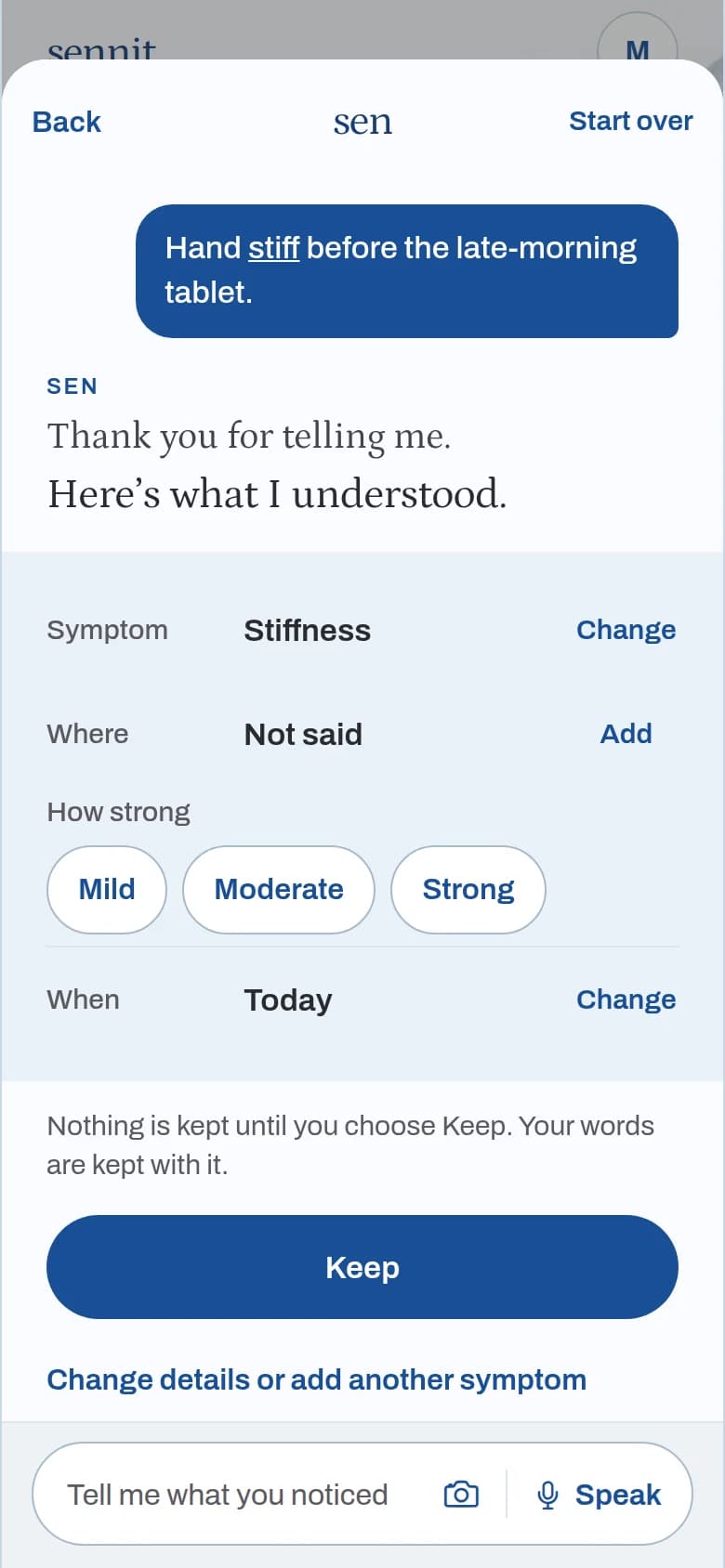
Sen shows what it understood.
Your words stay yours. Sen picks out the symptom, where, how strong and when, and keeps it only when you choose Keep.
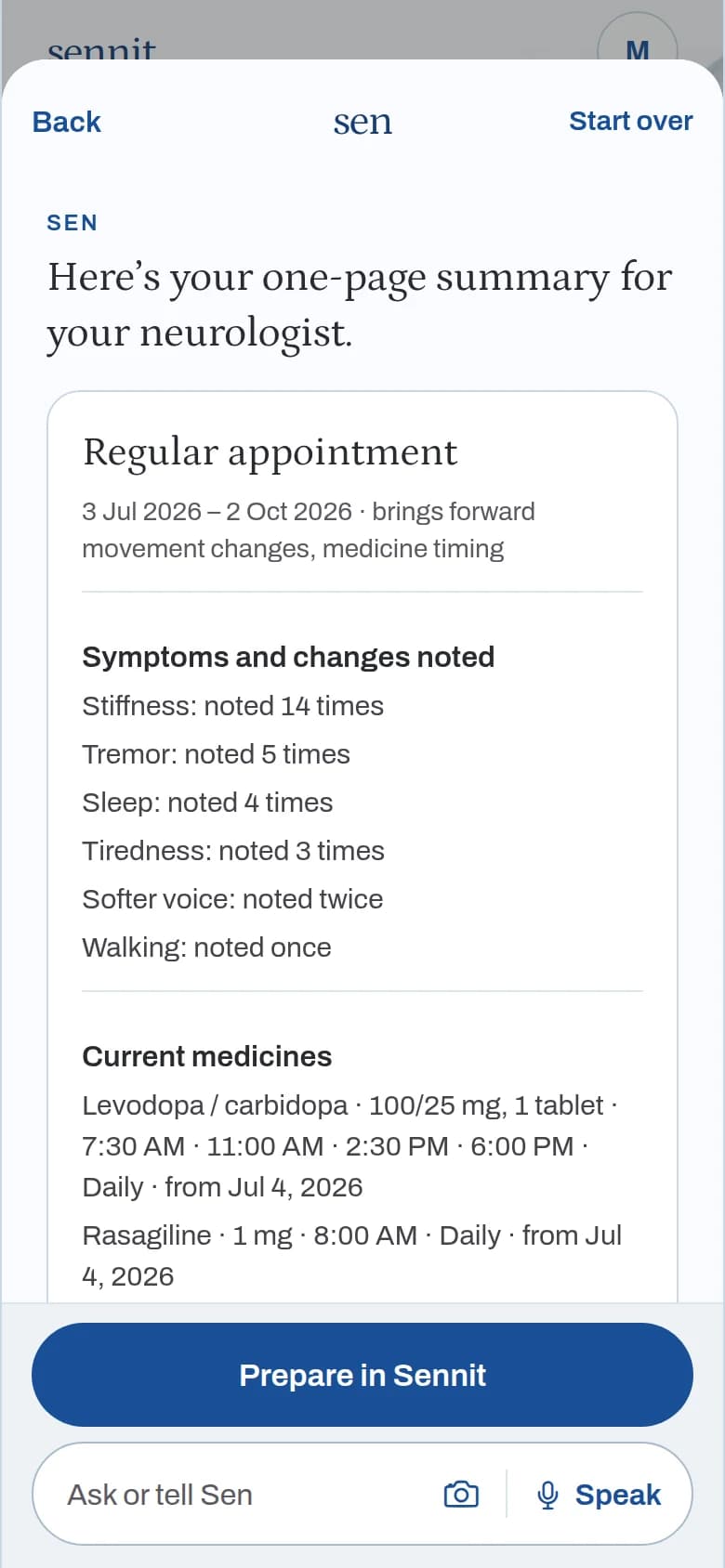
Bring it to your visit.
Sen prepares one page from the record for the neurologist or another professional. It lists what was recorded and doesn’t interpret it.
Screens from the Sennit app, example data.
What Sennit does
- Keeps what you say, in your words.
- Keeps doses, checks and readings, each with a date.
- Lets the family add what they saw, labelled as theirs.
- Answers from the record, and says what it can’t tell.
- Prepares the page for your visit.
What Sennit doesn’t do
- Diagnose.
- Sound alarms.
- Score anyone.
- Replace your care team.
- Handle emergencies.
Questions
Who is Sennit for?
People living with Parkinson’s, and the family beside them. Alzheimer’s and other dementias are next.
Can my family use it too?
Yes. A family member can add what they noticed, and it is kept as theirs.
Who sees what I keep?
A family member sees your record only after you link them. Preparing a summary doesn’t send it anywhere.
What if I can’t use the app?
The next round has a web version for everyone else.
Is it for emergencies?
No. In an emergency, call your local emergency number.
Sennit will carry some of the load with you.
Join the waitlist